HMRC notes ct600-guide
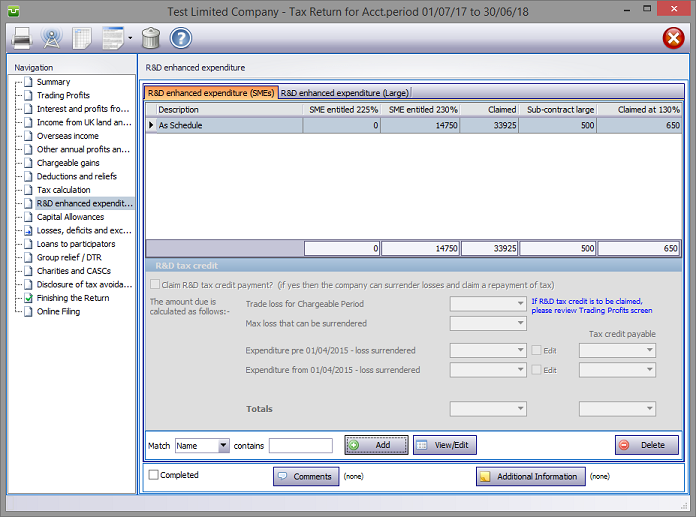
In the Navigation pane click on R&D Enhanced Expenditure
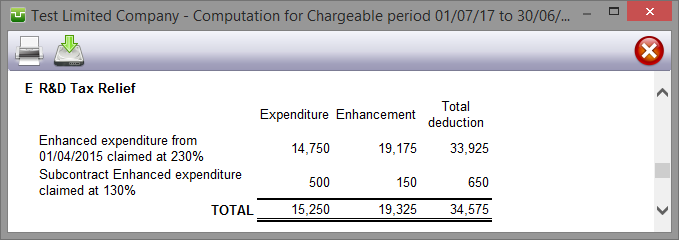
Computation summarises R&D enhanced expenditure.
R&D Tax Credit
Calculate the eligible R&D expenditure, enter in box 1 on screenshot. Calculate the relevant PAYE, as defined by HMRC, enter in Box 2 on the screenshot. nb, if you do not enter a value in box 2, the claim will be restricted to £20,000. Enter other figures as required. Boxes that are greyed out are calculated automatically
Finishing
When no further entries are necessary check the Completed tick box in the lower left hand corner of the screen. Although doing this does not preclude further entries or amendments the online submission process will not proceed if there are unchecked boxes in sections containing data.
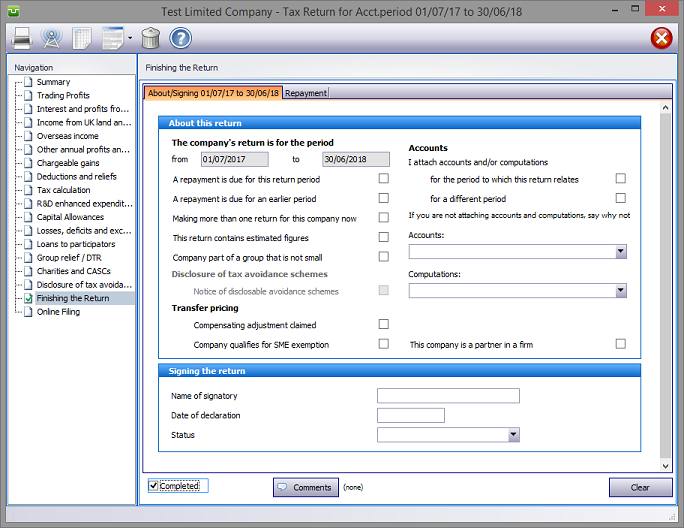
A small green tick in the relevant section on the left hand pane confirms that the Completion box is checked.
Entries made via Comments are for information only and do not appear on the return. The first few words of additional information/comments appear to the right of the relevant boxes.

Copyright © 2025 Topup Software Limited All rights reserved.